GT New Horizons · Getting started
Shader
There are various mods that allow shaders to be used, each with a number of supported shaderpacks available for Minecraft. This page covers popular ones and helpful options to use on them. Since shaders use the GPU heavily, don't use shaders (or use minimal settings) if you have a low end computer.
Shader loaders
Shader loaders configure graphics settings and choose the shaderpack of interest. Loaders are client-side mods and can be used on servers. When opening the loader, click Open Shaderpack Directory to locate the directory to place shaderpacks.
Angelica
A backport of Sodium/Embeddium and Iris/Oculus from more recent versions of Minecraft to 1.7.10 by the GT:NH Team and special guests.
As of GTNH Version 2.7.0 Angelica now supports shaders.
Features include:
- Multi threaded chunk rendering** [Sodium Backport]
- Shaders (Mostly working, some oddities, disabled by default) -- Planned to be enabled in a forthcoming beta release [Iris Backport]
- Boots and runs (most) of the GregTech: New Horizons 2.5.1 pack
Future Plans:
- Support for most 1.7.10 mods and modpacks
- Fully functioning Shaders
- More rendering optimizations
Optifine
Optifine has incorporated Shadermod into itself and can load shaders.
- As of GTNH version 2.6.0 Angelica is included in the pack which breaks Optifine. Disable or delete it for optifine to work.
| Additional information relevant for running versions of GTNH before 2.6.0 with shaders |
|---|
Here are several things to be watch out for when using Optifine:
Some things that come with Optifine:
|
Shadermod
Shadermod is the original shader loader.
Shaders
- Shaders are scripts written to use OpenGL commands to add extra graphical effects to the game.
- As many shaders are designed for modern, vanilla versions of Minecraft, and their respective newer loaders such as newer Optifine or Iris, you may encounter performance or display issues of varying severity when using them with GT:NH.
- The following shaders have been confirmed to work either out of box or with tweaking settings or configurations.
SEUS 11.0
This shader will require some manual changes in order to be useful for you. First extract the ZIP file into the shaderpack directory under SEUS 11.0
- Open composite1.vsh to change torchlight to pure white
- Open final.fsh to change water fog to 0.05
- You will have issues with nightvision. When using nightvision you will need to switch shaders.
- Barrels and drawers are not rendering properly. Many items inside are rendered pure black like ingots, coins etc.
- For some reason, drying rack is rendered as water.
- Project red lamps don't look very good.
Sildurs Vibrant Shaders v1.2
This shader supports most configuration options within Minecraft under Video Settings -> Shaders -> Shader Options
- Emissive Light setting allows changing torch color
- change moonlight brightness to Very Dark for proper atmosphere
- SVS v1.2 will not properly display the moon. Disable the shader to see the moon phase for launching to the moon
-
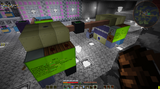 Interior shot using Sildurs Vibrant Shader v 1.2 Extreme
-
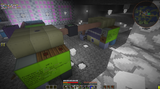 Interior shot using SEUS v11
-
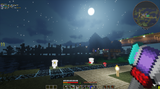 Exterior shot using SVS-v1.2
-
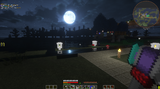 Exterior shot using SEUS v11
Complementary Shaders V4 (or newer)
Not compatible with 5.7, use 5.6.1 for 2.8.x or >= 5.8.1 for 2.9.x instead!
This shader should work out of box, but can be further configured to improve compatibility and performance to your liking.
- Any preset profile can be used.
- Compatibility Mode should be set to ON.
- RP Support can be set to Integrated PBR+, or to Basic for increased performance.
- Advanced OpenGL can cause issues with chunks rendering within your distance, and should be set to OFF.
- To preserve hardcore darkness, Lighting- > Overworld Light Colors -> Night Lighting Settings -> Night Brightness should be set to 0.00.
- To preserve hardcore darkness in v 5.6.1 add the following configuration to ComplementaryReimagined_r5.6.1.zip.txt
ATM_COLOR_MULTS=true
ATM_MORNING_I=0.50
ATM_NIGHT_I=0.05
HELD_LIGHTING_MODE=1
LIGHT_COLOR_MULTS=true
LIGHT_MORNING_I=0.50
LIGHT_NIGHT_I=0.01
- values can also be adjusted via in game config :
- Lighting -> Dynamic Handheld Lighting -> Subtle
- Lighting -> Lightning Color Multipliers -> Lightning Color Multipliers -> on
- Lighting -> Lightning Color Multipliers -> Night Time -> Lighting Intensity Multiplier -> 0.01
- Lighting -> Lightning Color Multipliers -> Sunrise/Sunset Time -> Lighting Intensity Multiplier -> 0.50
- Atmosphere -> Atmosphere Color Multipliers -> Atmosphere Color Multipliers -> on
- Atmosphere -> Atmosphere Color Multipliers -> Night Time -> Atmosphere Intensity Multiplier -> 0.05
- Atmosphere -> Atmosphere Color Multipliers -> Sunrise/Sunset Time -> Atmosphere Intensity Multiplier -> 0.50
- The mana pool from botania can cause incorrect shadows that appear to follow the player. Set
B:shaders.enabledfromtruetofalsein .minecraft/config/Botania.cfg if you experience this issue. - Sign text will sometimes have a drop shadow, making the words appear blurry. You can disable this by setting "Block Reflection Quality" to Low, under Performance Settings. See reference image.
-
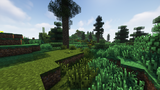 Landscape shot using Complementary Shaders v4.7.1 Extreme
-
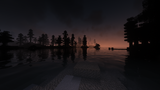 Night time water shot using Complementary Shaders V4.7.1 Extreme